Leave for the appointment first.
If a scheduled stop is approaching its latest safe departure, ErrandPath locks it first—even when another stop is closer—then optimizes everything after it.
You don’t have time to mess around when you’re out. ErrandPath turns tasks, places, focus sessions, and real-world timing into a day that actually works.
● TestFlight beta for iPhone & iPad · iOS 17+
One app. The whole day.
It knows what needs doing, where it needs doing, and how long your real life usually takes.
See ErrandPath in action
Watch how ErrandPath protects scheduled stops, builds an errand run, guides every next move, learns real durations, and brings tasks, focus, and day planning together.
Errands, reimagined
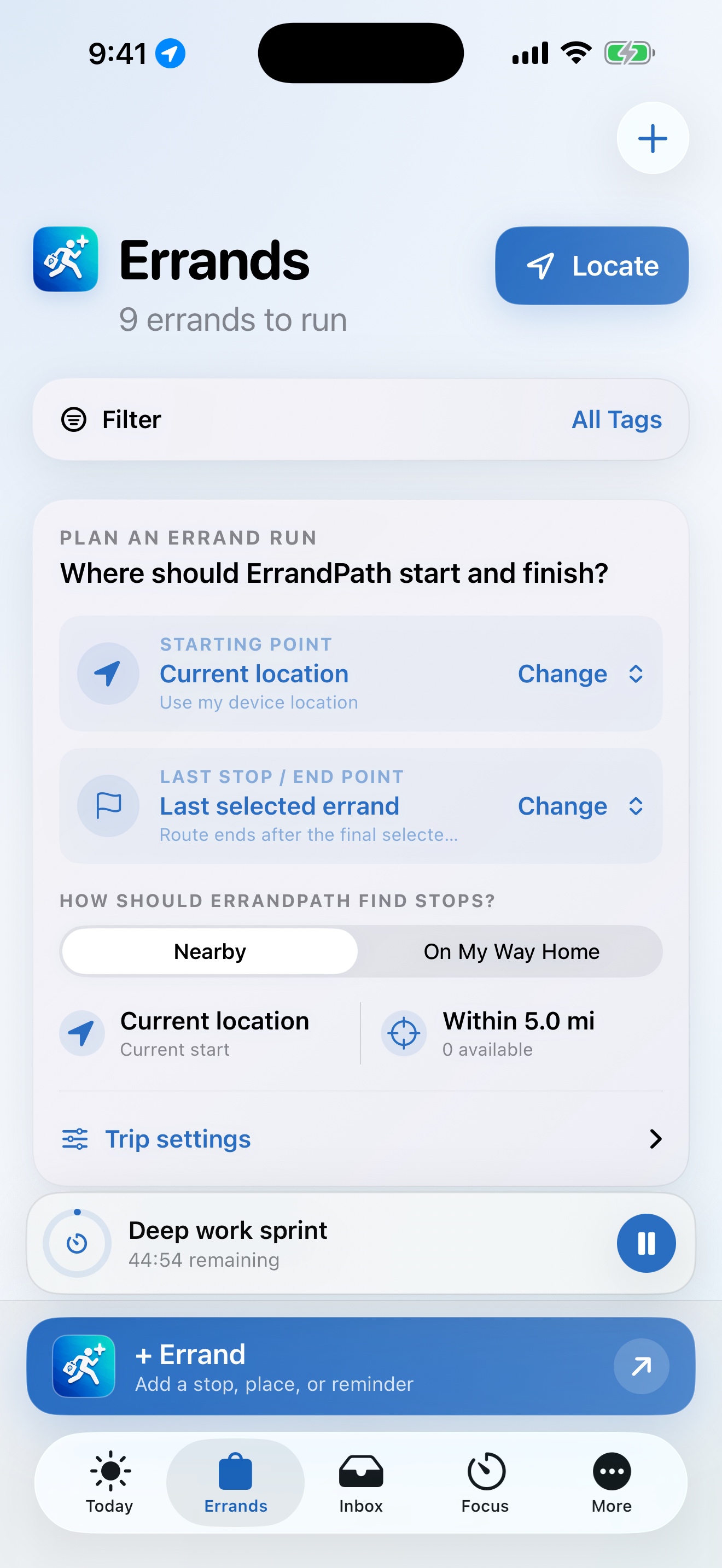
Start where you are—or anywhere you choose. Pick only the stops you want today. Protect an approaching appointment, anchor the finish at Home or a custom destination, then optimize, drag, recalculate, and go.
Scheduled stops are protected automatically. You can still select, drag, or use the arrow controls to override the order.
See nearby errands inside your preferred radius or find useful stops along the way home.
Use your location or a custom start. Finish at the last errand, Home, or another destination.
An approaching scheduled stop goes first. The rest are arranged to reduce late arrivals before drive time.
Navigate stop by stop while ErrandPath detects arrival, measures time, and keeps a one-tap Return to Errand Run control visible if you move elsewhere in the app.
New · Smarter Leave Now protection
A single travel estimate can look more exact than real traffic is. ErrandPath shows a practical arrival range, plans from the slower edge, adds your buffer, and keeps checking as departure gets closer.
Continuously refreshedEvery five minutes—and every minute near a scheduled stop.
Late-risk protectionWarns when traffic or the errand before it could put the next stop at risk.
Your way to travelDriving, walking, cycling, or transit, with toll and highway preferences for driving.
Leave soonCompleting Target first could make this stop late.
Built for the trip you are actually taking
The current ErrandPath experience protects your schedule, stays useful while you navigate, keeps an active run one tap away, quiets reminders for work underway, captures actual timing, and gets you home faster when the run is over.
If a scheduled stop is approaching its latest safe departure, ErrandPath locks it first—even when another stop is closer—then optimizes everything after it.
Optional arrival assistance can keep watching the current stop while you follow turn-by-turn directions, then begin System Calculated Stop Time when you arrive.
A persistent Return to Errand Run control shows the next stop and remaining count across the app. One tap rebuilds and opens the saved guided route.
Mark a task Important for adjustable repeating reminders, rolling notification coverage, and quick refresh when you return to the app.
Task Timing Data shows every manual and system-calculated recording. Edit one entry, clear selected histories, or remove old learned tasks without hunting through individual task cards.
Just Take Me Home stays at the bottom of Errands and sends directions from the current location to the saved Home address directly to Apple Maps.
New · System Calculated Stop Time
During a guided run, ErrandPath recognizes when you are near the selected stop and moving slowly—even while you follow directions in Maps when background arrival help is enabled. A live stop timer begins automatically, then saves when you tap Task/Errand Completed.
Arrival detectedYour selected proximity range and safe location checks confirm the stop.
Time captured quietlyKeep navigating, then see the live System Calculated Stop Time without having to start a timer.
Future plans improveThe result joins your Task Timer history to create a more useful average.
✓ Tap “Not Here Yet” to discard a false arrival, or disable automatic stop-time learning in Settings.
Two ways to measure. One increasingly useful recommendation.
Powerful, without feeling complicated
Choose the errands that matter today, set your start and finish, and let ErrandPath protect time-sensitive appointments before optimizing the remaining drive. Live arrival ranges and Leave Now guidance keep adapting as departure gets closer.
Try it in TestFlight ↗Appointment-protected stop order, directional drive times, arrival confidence ranges, smarter Leave Now warnings, custom endpoints, and Apple Maps handoff.
Clearly visible start dates, flexible start and end times, exact durations, recurring tasks, calendar-aware day planning, custom availability, capacity, priorities, and smart time-fit suggestions.
Automatic arrival-based stop timing, Task Timer history, remembered places, blended averages, instant task-name recall, and editable timing records behind every recommendation.
One-tap return to an active errand run, a Just Take Me Home shortcut, durable important reminders, tags, smart lists, undo history, custom navigation, themes, haptics, and animation controls.
For people who open every Settings screen
Because “about 30 minutes” is not the same as 37 minutes. ErrandPath gives detail people the controls they want—without making everyone else stare at them.
OFF Star → Important alerts
ON Runner celebration
ON Lock Screen status
No mystery defaults. No hunting for a hidden number. Tap it, type it, confirm it.
Set separate default durations for tasks, errands, and focus. Round starts to the next hour, type exact values, and tune reminder lead times in minutes, hours, days, or weeks.
Choose the travel mode, avoid tolls or highways, tune the nearby radius and detour tolerance, set the arrival distance, and decide whether arrival timing continues while Maps is open.
Star work to pin it, drag favorites into a custom order, and decide whether starring should also enable repeating Important Notifications.
Use System, Light, or Dark appearance with Ocean, Evergreen, Lavender, Sunset, or Graphite. Rearrange the bottom bar while keeping Errands centered and ready.
Control the runner completion animation, route motion, bottom-navigation motion, and haptics independently. System Reduce Motion is always respected.
Choose Live Activities, arrival assistance, automatic stop-time learning, task and focus notifications, screen-awake behavior, widgets, and calendar write-back.
Use Sign in with Apple sync or stay local. Audit the timing data that powers recommendations, edit individual recordings, bulk-clear histories, export backups, recover deleted tasks, or undo up to 20 actions.
Create and rename tags, build exact Smart Lists, save templates, customize recurrence, replay guided training, and keep every numeric control editable with OK or Cancel.
⌘ There is probably a setting for that.
Gets smarter with you
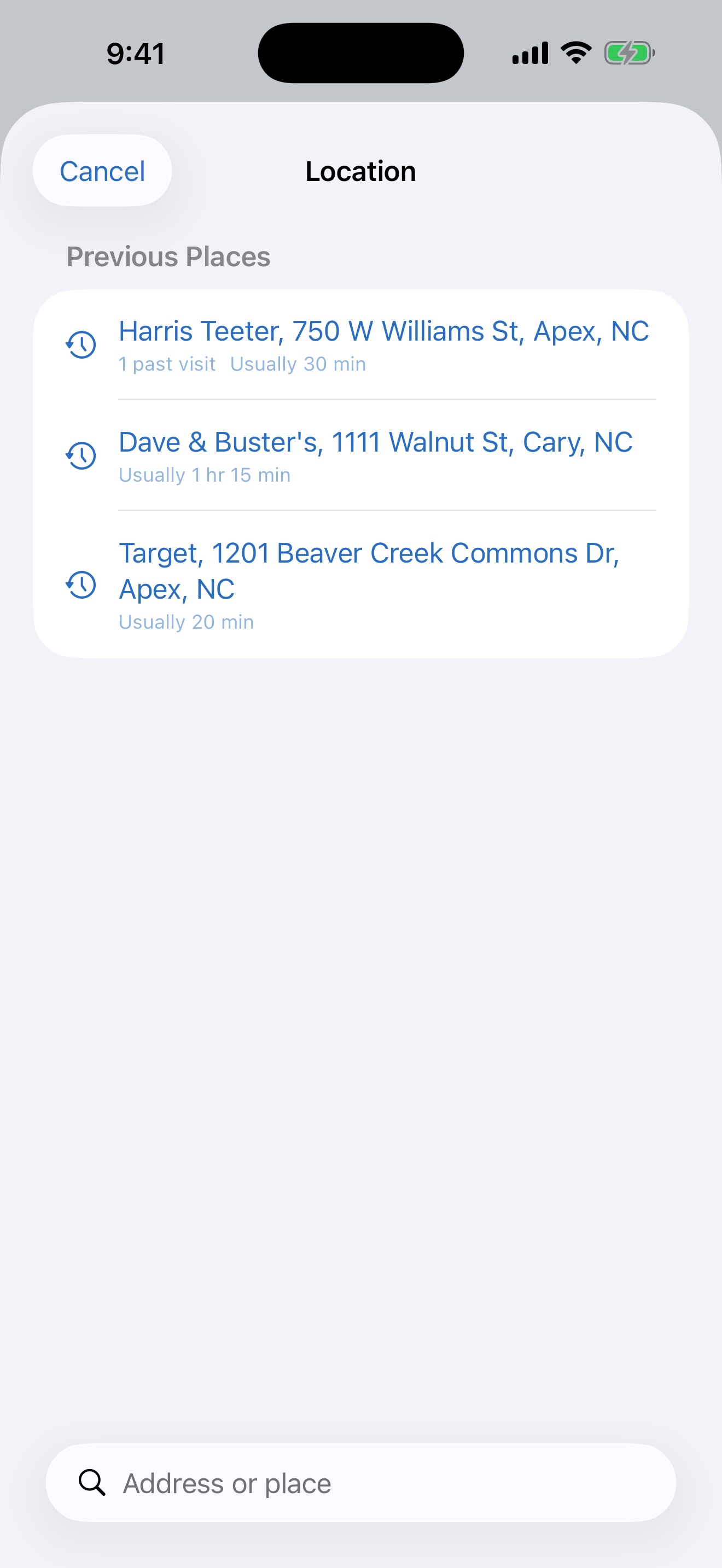
Use the Task Timer, enter an actual duration, or let System Calculated Stop Time measure a guided errand automatically. ErrandPath remembers the places you visit and turns real history into useful suggestions.
The complete toolkit
ErrandPath combines premium task management with real-world route planning, flexible timing, gentle motivation, and deep personalization.
See a realistic arrival window, a conservative leave-by time, and refreshed warnings when traffic or another errand could make you late.
Lock an urgent scheduled stop first, then minimize late arrivals before total drive time.
Sequence selected errands using the real driving time in each direction.
Choose driving, walking, cycling, or transit and decide whether driving routes should avoid tolls or highways.
Surface useful stops without turning the drive into a detour.
Move any stop and immediately recalculate distance, drive time, and arrival.
Use the persistent Return to Errand Run control from any main screen to see the next stop, remaining count, and reopen the saved route in one tap.
Mark a task In Progress—or include it in an active errand run—to silence duplicate reminders until the work is available again.
Open Apple Maps from the bottom of Errands for a direct route from the current location to the saved Home address.
Reuse places you visit and the time you usually spend there.
Start typing a familiar task name to see its blended manual and system-time average—or its default duration when no history exists.
Review, edit, or delete individual measurements, then multi-select tasks to clear selected histories or clean up the full learned-task library.
Set a task or errand place to your current position in one tap when an address is unnecessary.
Separate purposeful focus from measured task completion time.
Turn task notes into an iOS note titled with the task name and date, then append or replace updates through Apple’s Notes workflow.
Detect arrival during a guided run—even while navigating in Maps when enabled—and save the time spent there.
Blend System Calculated Stop Times with Task Timer history for increasingly realistic estimates.
See every start date clearly, then fit work around capacity, calendar commitments, and personal availability.
Choose exact lead time, repeat frequency, rolling coverage, and temporary notification mute.
Create, rename, filter, and combine task tags with priority and duration.
Build motivation with points, badges, sessions, and personal rewards.
Keep data available across Apple devices with incremental cloud sync.
Capture work quickly and keep active timers visible.
Your day is personal
Location is used to help with the route you request. Notifications, calendar access, themes, motion, haptics, sync, and guidance remain under your control.
Questions, answered
It first checks exact start times. When a scheduled stop is close to its latest safe departure, that stop is protected first. ErrandPath then minimizes late arrivals and compares directional driving times for the remaining stops, including your chosen final destination. You can still drag stops into your preferred order.
Yes. Finish at the last errand, your saved Home address, or any custom location. The final destination stays anchored while the errands are planned around it.
Yes. During a guided errand run, ErrandPath can detect when you arrive near a stop—even while you are following directions in Maps when background arrival help is enabled—and measure until you mark it complete. That System Calculated Stop Time is averaged with Task Timer recordings to improve future suggestions. Settings includes a Task Timing Data manager where you can inspect, correct, clear, or delete the measurements behind those averages.
ErrandPath saves the remaining stops, progress, endpoint, and route intent on the device. A persistent Return to Errand Run control appears across the main app, showing the next stop and remaining count. Tap it once to rebuild and reopen the saved guided route.
No. It also includes a complete task manager, recurring schedules, projects, tags, reminders, day planning, focus sessions, task timers, rewards, themes, widgets, and cross-device sync.
ErrandPath is currently available to invited TestFlight testers. Use any Request TestFlight Access button on this page and tell us which Apple ID email you would like invited.

There’s a better way through the day.
Join the ErrandPath TestFlight and help shape the future of smarter, calmer planning.